Overview
Introduction
Welcome to PeaceProxy, a comprehensive crisis negotiation and incident management platform designed specifically for law enforcement agencies. This powerful tool helps negotiators, command staff, and crisis teams manage high-stakes situations with greater efficiency, coordination, and documentation.
PeaceProxy provides a secure, real-time environment for tracking negotiations, managing demands, coordinating team efforts, and generating professional reports that support both operational success and post-incident review.
This user guide will help you understand the platform's capabilities and how to leverage them effectively during crisis situations.
Who PeaceProxy Serves
PeaceProxy is designed for multiple roles within law enforcement agencies:
- 🔹 Crisis Negotiation Teams – Streamline communication, document demands, and coordinate responses in real time
- 🔹 Command Staff – Gain situational awareness through live updates and structured reports
- 🔹 Crisis Intervention Specialists – Access tools to better understand subjects and manage outcomes
- 🔹 Post-Incident Review Boards – Receive detailed documentation for training, compliance, and legal proceedings
Key Features and Capabilities
📱 Real-Time Negotiation Support
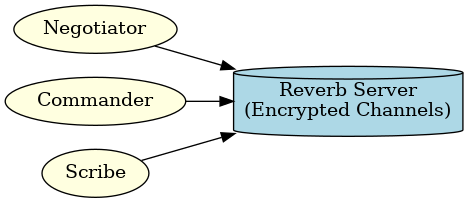
PeaceProxy provides robust communication tools to keep your team connected during critical incidents:
- Secure Chat System: End-to-end encrypted communication between negotiators and command staff
- Flexible Messaging Channels: Private, group, and broadcast messaging options
- Message Management: Send messages, react, attach files, and filter conversations by subject, status, or tag
- Presence Tracking: See who's online, active, and engaged in the incident
📋 Incident & Demand Tracking

Track all aspects of an incident with precision:
- Subject & Incident Logging: Record comprehensive details about subjects, hostages, and incident parameters
- Demand Management: Track and update demands as they evolve throughout the negotiation
- Timestamped Records: Create courtroom-ready records with precise timing of all events
- Structured Workflow: Follow incidents through their complete lifecycle from initial logging to resolution and reporting
📊 Comprehensive Reporting
PeaceProxy generates detailed reports that serve multiple purposes:
- Negotiation Summary: Overview of the entire negotiation process
- Demand Tracking: Documentation of all demands, their status, and resolution
- Communication Analysis: Insights into communication patterns and effectiveness
- Negotiator Performance: Assessment of negotiation techniques and outcomes
- Incident Logs: Chronological record of all incident-related events
- Psychological Profiling: Documentation of subject behavior and psychological assessments
- Team Coordination: Analysis of team communication and coordination
- Outcome Analysis: Evaluation of incident resolution and outcomes
- Post-Incident Debrief: Structured format for team debriefing
- Legal & Compliance Documentation: Records formatted for legal proceedings
Each report offers filtering capabilities and can be exported in PDF or CSV formats for easy sharing and archiving.
👥 Team Coordination
Enhance team effectiveness with specialized coordination tools:
- Role-Based Permissions: Specific access levels for negotiators, commanders, scribes, and analysts
- Task Assignment: Delegate responsibilities and track completion
- Accountability Features: Ensure all team members fulfill their assigned roles
🛠️ Advanced Tools
PeaceProxy includes specialized features to enhance operational capabilities:
- Barcode Signature Retrieval: Scan a code to securely apply stored signatures to official documents
- Subject Image & File Management: Upload, store, and restrict access to sensitive files
- Multi-Tenant Architecture: Each agency operates in its own secure, isolated environment
🛡️ Security Features
PeaceProxy prioritizes the security of sensitive information:
- End-to-End Encryption: Protects all communications from unauthorized access
- Role & Permission Controls: Ensures information is only accessible to authorized personnel
- Audit Logs: Maintains records of all system activities for accountability
- Secure Cloud Storage: Provides restricted access to documents and media
How to Use PeaceProxy
Before an Incident
- Familiarize yourself with the platform's features through training and simulations
- Prepare templates and protocols for different incident types
- Ensure all team members understand their roles and access levels
During an Incident
- Use real-time chat for team communication
- Track demands and subject information as the situation evolves
- Provide command staff with live updates through the platform
- Document all aspects of the negotiation process
After an Incident
- Generate comprehensive reports for debriefing
- Export documentation for legal proceedings
- Review incident data for training purposes
- Analyze outcomes to improve future responses
Benefits for Your Agency
- Improved Coordination: Keep all team members aligned during critical incidents
- Reduced Risk: Prevent misunderstandings with accurate, real-time information
- Operational Efficiency: Streamline communication and documentation processes
- Training Resources: Convert past incidents into structured learning opportunities
- Legal Protection: Maintain precise records of all decisions and actions
Accessing PeaceProxy
PeaceProxy is accessible from multiple devices to accommodate various operational needs:
- Desktop and Laptop Browsers: Optimized for command posts and operations centers
- Mobile Devices: Designed for negotiators and team members in the field
Getting Started with PeaceProxy
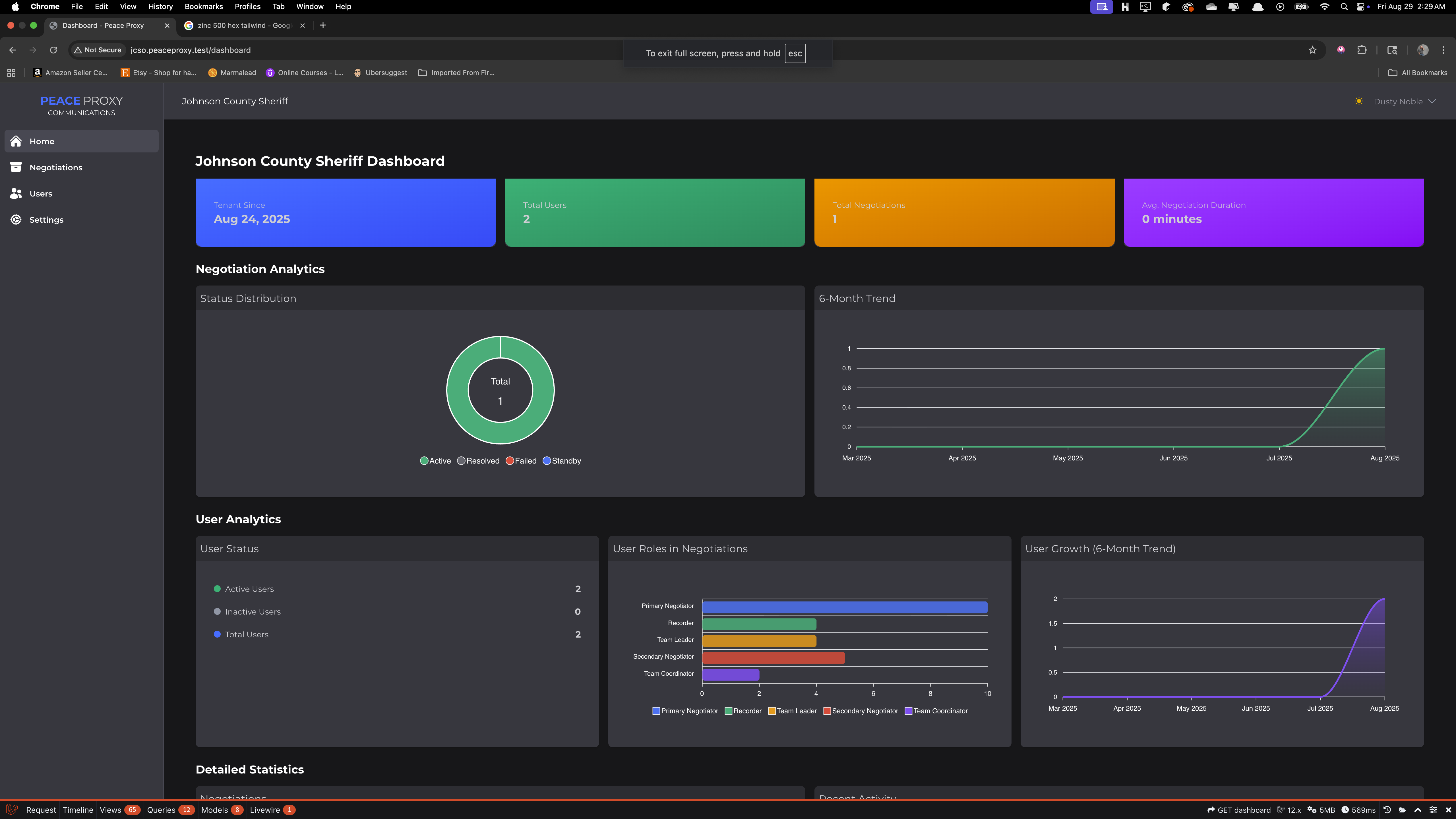
To begin using PeaceProxy:
- Access Your Agency's Portal: Navigate to your agency's unique subdomain (e.g.,
youragency.peaceproxy.com) - Log In: Enter your credentials provided by your administrator
- Set Up Your Profile: Complete your profile information and preferences
- Explore the Dashboard: Familiarize yourself with the main interface components
- Join a Training Session: Participate in a simulation to practice using the platform
Your agency administrator will provide specific login details and initial training. For technical issues or questions, contact your designated support representative.
Detailed Documentation
For more detailed information about specific features, refer to these sections of the user guide:
Note: This overview provides a high-level introduction to PeaceProxy. For detailed instructions on specific features, please refer to the relevant sections of this user guide.